How to read your mining progress
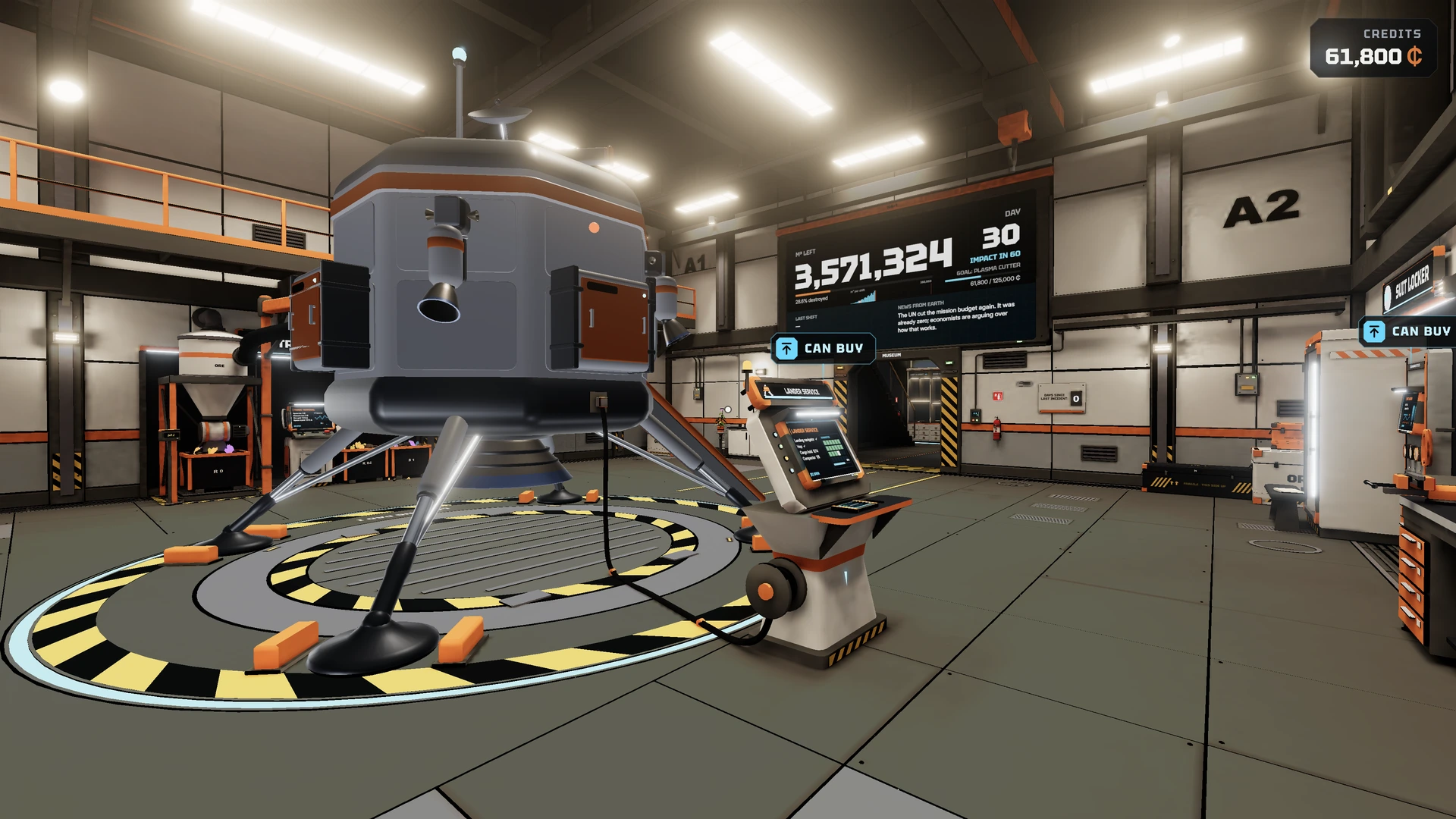
Read the day and m³ left on the hangar board. Count today if its shift is still ahead of you. Compare the volume you clear over two shifts on this save before deciding whether to upgrade.
In this guide
Read the board before you launch
The standard contract begins with 5,000,000 m³ of asteroid and gives the crew 90 game days. In a solo game, read your own ship’s board. In co-op, the crew is removing material from the same asteroid. Each player’s cargo tells you what that player collected.
Write down the day, m³ left and whether the current shift has started. Use the same moment in the routine for your next reading.
Count the shifts from day 31
Suppose day 31 has just begun and the board reads 3,000,000 m³ left. You have finished 30 days. Days 31 through 90 give you 60 working days including today.
| At the start of day 31 | Example value |
|---|---|
| Days completed | 30 game days |
| Working days left | 90 − 30 = 60 game days |
| Rock left | 3,000,000 m³ |
| Average needed from here | 3,000,000 ÷ 60 = 50,000 m³ per game day |
Once you finish day 31, take a fresh volume reading and count days 32 through 90. Mixing the end-of-shift volume with the morning’s count gives you an extra day on paper.
Compare two shifts on the same save
- Record the board reading at departure. After each of the next two shifts, record the new reading.
- Subtract consecutive readings to get m³ cleared per shift. Note a new tool, a ship gun or a change in crew size beside the relevant shift.
- If cleared volume is the problem, compare mining tools and ship guns. If the hold is coming back light, inspect your cargo before selling.
Ship weapons can keep cutting into the asteroid while you are underground. A slow day with a pickaxe gives you a baseline for that setup. Your pace can change after a purchase.
Check the mode if the clock looks different
No Rush shows the current day without a ticking ship clock, according to the 24 Nov release-day update. In update 1.0.6 on 25 Nov, days stopped advancing automatically in No Rush and after an ending. Use your mode’s display before applying the standard contract example.
Sources and version
Field Manual editors · Published · Last checked and updated .